
A looping GIF from one character
Choose Animated GIF, add a character image and describe the motion. GPT Image 2.6 keeps the face and outfit while it moves, and the loop closes cleanly. Pick Simple, Smooth or Extra smooth for the length.
Create images and looping animated GIFs with GPT Image 2.6. Write long instructions, get exact on-image text, and keep editing the same image.
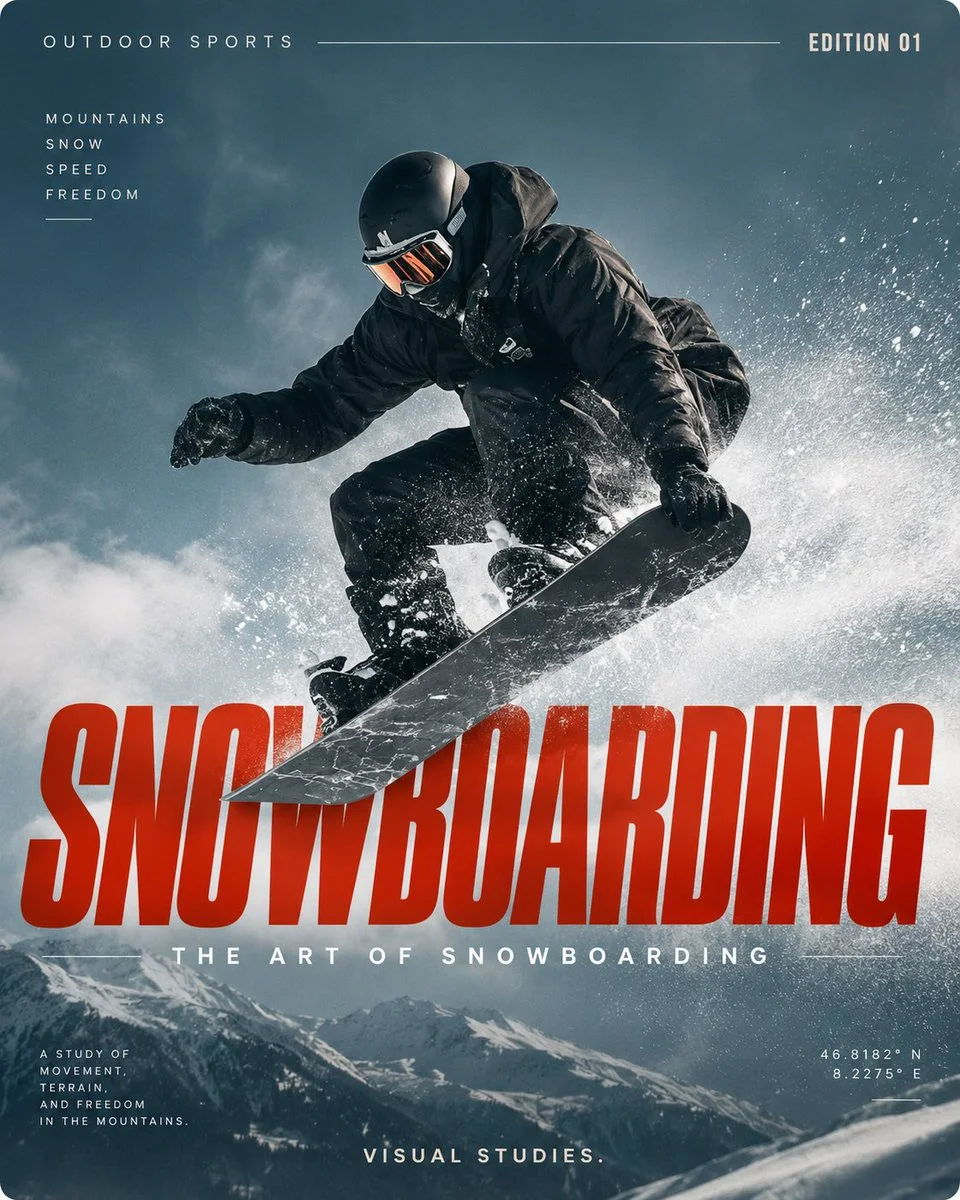
Choose Animated GIF, add a character image and describe the motion. GPT Image 2.6 keeps the face and outfit while it moves, and the loop closes cleanly. Pick Simple, Smooth or Extra smooth for the length.
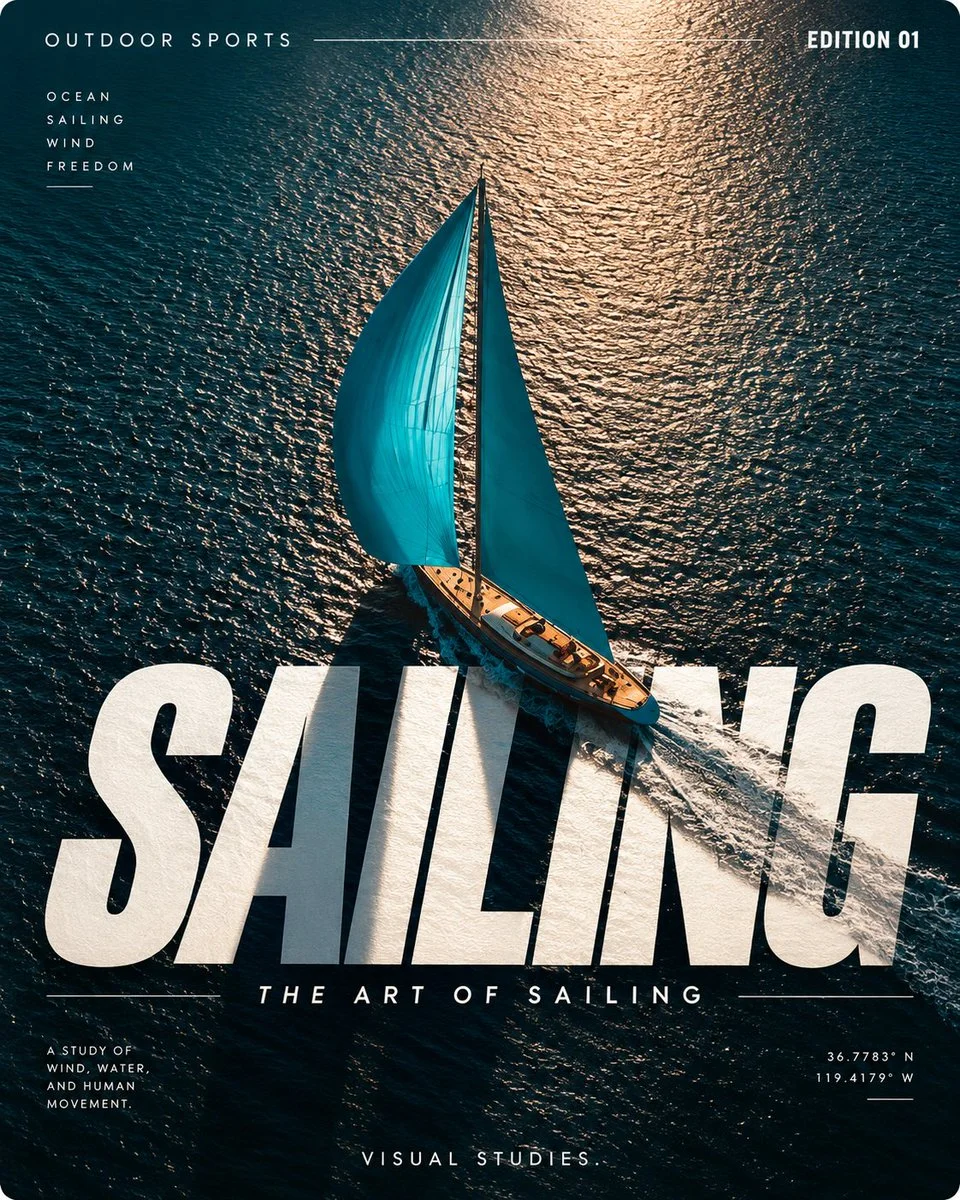
GPT Image 2.6 sets headlines, labels and small print the way a designer would, and spells every word right. Flare is tuned for layouts like posters, covers and product shots.
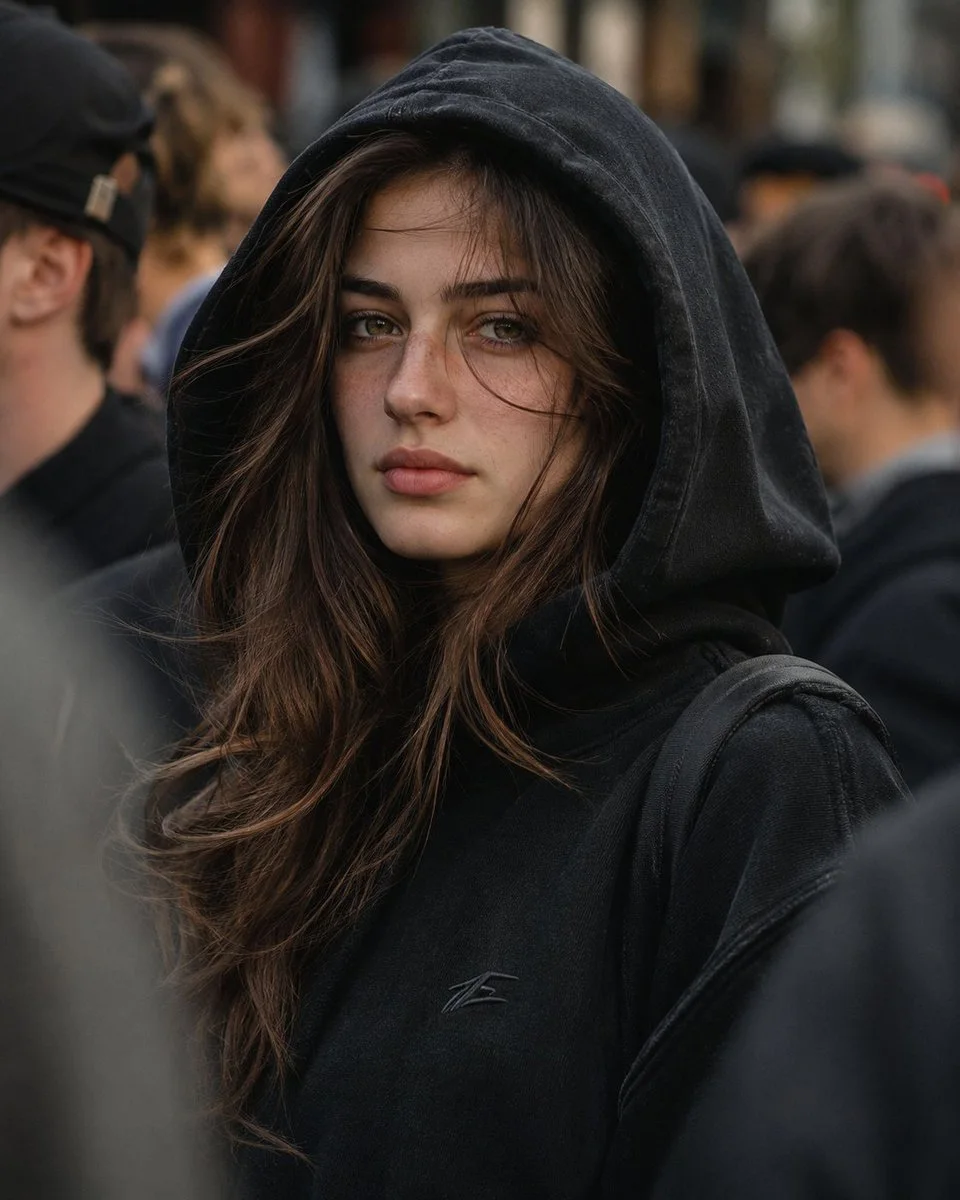
Skin, hair and fabric come out natural instead of glossy, and camera details in your prompt shape the depth of field. Sunburst gives the finest detail and keeps a face steady across edits.
Switch Output to Animated GIF and GPT Image 2.6 renders a short looping animation instead of a still. Start from a prompt, or upload an image and describe how it should move.
Simple is a ~0.5 s loop for blinking or flickering, Smooth a ~1 s loop for most animations, and Extra smooth a ~2 s loop with fluid motion.
Upload a product shot, logo or character and describe the movement: a slow turn, a blink, a glow. Flare and Sunburst both accept reference images for GIFs.
GIFs render at 1K and loop on their own, ready for chat stickers, loading states, product teasers and social posts.
GPT Image 2.6 comes in two OpenAI versions, Flare and Sunburst, billed at the same rate.
| Flare | Sunburst | |
|---|---|---|
| Best for | Fast drafts, posters, product layouts | Final images and repeated edits |
| Positioning (per OpenAI) | The fast version, with improved layout quality | Higher quality and more consistent edits |
| Resolution | 1K / 2K / 4K | 1K / 2K / 4K |
| Quality setting | Standard / High / Ultra | Standard / High / Ultra |
| Animated GIF | Text and image to GIF | Text and image to GIF |
| Price per image | 10–70 credits | 10–70 credits |
Both versions come as Flare and Sunburst: Flare is the fast one, Sunburst the steady one for final images and repeated edits. The difference is what 2.6 adds on top, and what it costs. Credits below are this site's prices per image. See every model side by side on the GPT Image hub.
| GPT Image 2.6 | GPT Image 2.5 | |
|---|---|---|
| Released | November 2026 | September 2026 |
| Flare | Fast version, tuned for posters and layouts | Smaller model, optimized for speed |
| Sunburst | Higher quality, more consistent repeated edits | Base model, optimized for quality |
| Speed | About 50% faster than earlier versions (per OpenAI) | Earlier generation |
| Quality setting | Standard / High / Ultra | Fixed |
| Animated GIF | Yes, at 1K, from text or an image | No |
| Transparent PNG | 1K | 1K |
| Max prompt length | 32,000 characters | 20,000 characters |
| 1K price | 10 / 12 / 22 credits (Standard / High / Ultra) | 6 credits |
| 2K price | 20 / 24 / 42 credits | 10 credits |
| 4K price | 32 / 40 / 70 credits | 16 credits |
| Reference images | Up to 16, +3 credits each on Flare and Sunburst | Up to 16, included in the price |
Animated GIF output exists only on 2.6. Loading states, stickers and product teasers start here.
2.6 reads up to 32,000 characters, so detailed briefs with layout rules, copy and style notes fit in one prompt.
Sunburst on 2.6 is built to keep faces, products and small details steady across rounds of edits.
Draft on Standard, then render the keeper on High or Ultra without switching models.
Still deciding? Compare GPT Image 2.6, 2.5 and 2 on the GPT Image hub, or open GPT Image 2.5 to try it.
OpenAI says Images 2.6 generates about 50% faster than earlier versions, so drafts come back sooner and you can try more ideas in one session.
Flare is tuned for structured visuals such as posters, menus and product shots, keeping headlines, prices and labels aligned and legible.
Sunburst keeps faces, products and small details consistent when you edit the same image several times.
Export clean cut-outs with no background at 1K, or switch Output to Animated GIF for short looping animations.
Sunburst for quality, Flare for speed.
Quote exact text. Choose GIF for animation.
Download, or keep editing the result.
Choose GPT Image 2.6 Flare or Sunburst, set Output to Animated GIF, pick a Motion level and describe the animation, for example "a neon sign flickering on and off". GIFs are generated at 1K.
Yes. Upload a reference image with Flare or Sunburst, set Output to Animated GIF and describe how it should move. Economy can make GIFs from text prompts only.
Flare is the faster version with improved layouts; Sunburst is built for higher quality and more consistent repeated edits. Both cost the same, so pick by speed or detail.
Economy is a lower-cost way to use GPT Image 2.6 on NanoBananas: 5 credits per 1K image, with no quality setting and no 2K/4K output. It suits drafts and bulk ideas. Switch to Flare or Sunburst, OpenAI's two 2.6 versions, when you need 2K/4K, quality control or image-to-GIF.
2.6 adds animated GIF output, a Standard/High/Ultra quality setting, prompts up to 32,000 characters and faster generation. 2.5 keeps a fixed price: 6, 10 or 16 credits for 1K, 2K or 4K, with reference images included. 2.6 costs 10 to 70 credits depending on quality and resolution.
Yes. Set Output to Transparent PNG at 1K. Describe the subject as standing alone with no background for the cleanest cut-out.
Up to 16 per generation. On Flare and Sunburst each reference adds 3 credits because the model reads every image.