
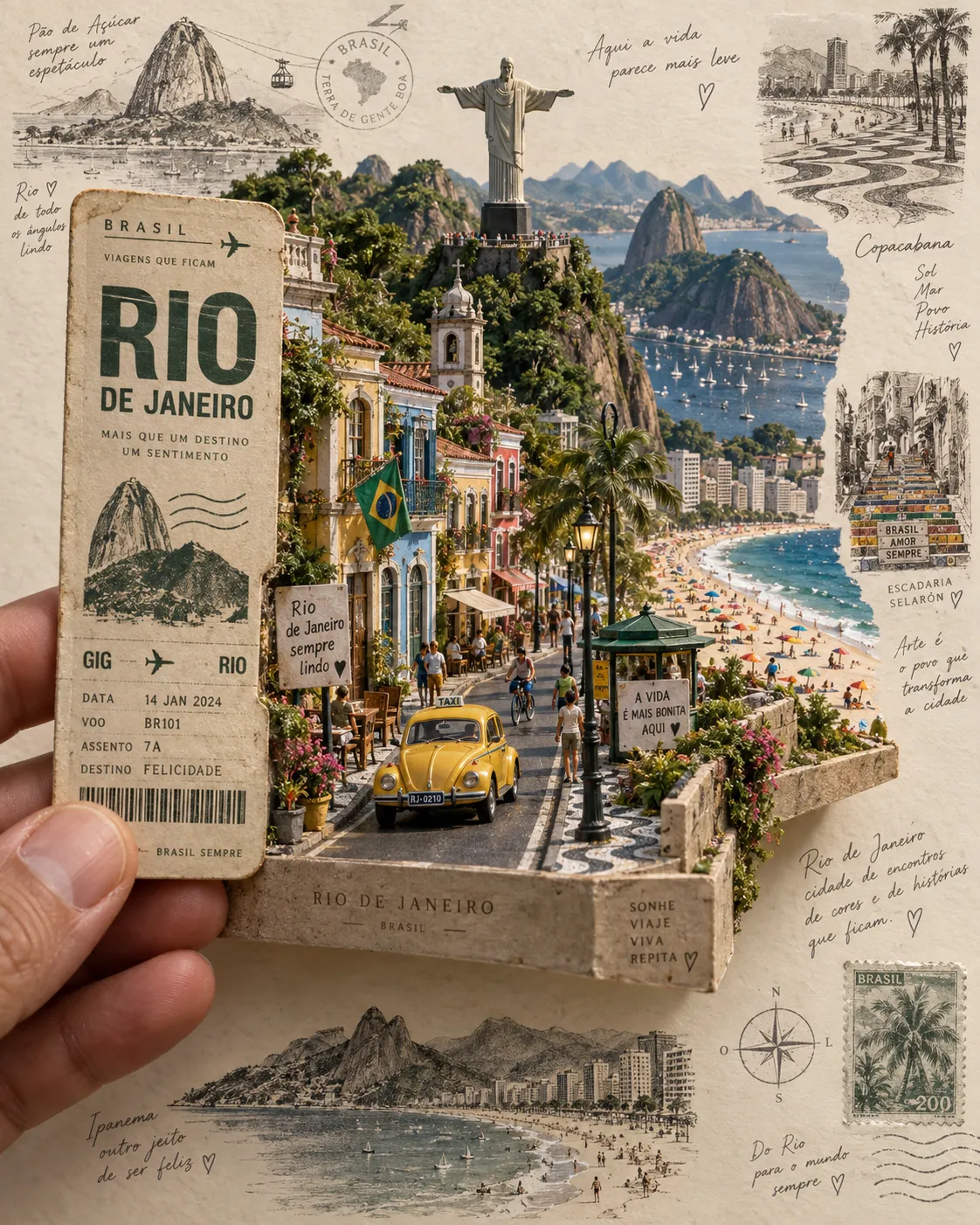
Dense scenes that follow every instruction
GPT Image 2.5 keeps track of long, layered prompts: a pop-up diorama, hand-drawn sketches around it and a ticket with readable lettering, all placed where you asked. Sunburst brings the finest textures.
Two versions of GPT Image 2.5 in one place: Sunburst for the sharpest results and Flare for speed, both at the same price as GPT Image 2.
GPT Image 2.5 keeps track of long, layered prompts: a pop-up diorama, hand-drawn sketches around it and a ticket with readable lettering, all placed where you asked. Sunburst brings the finest textures.
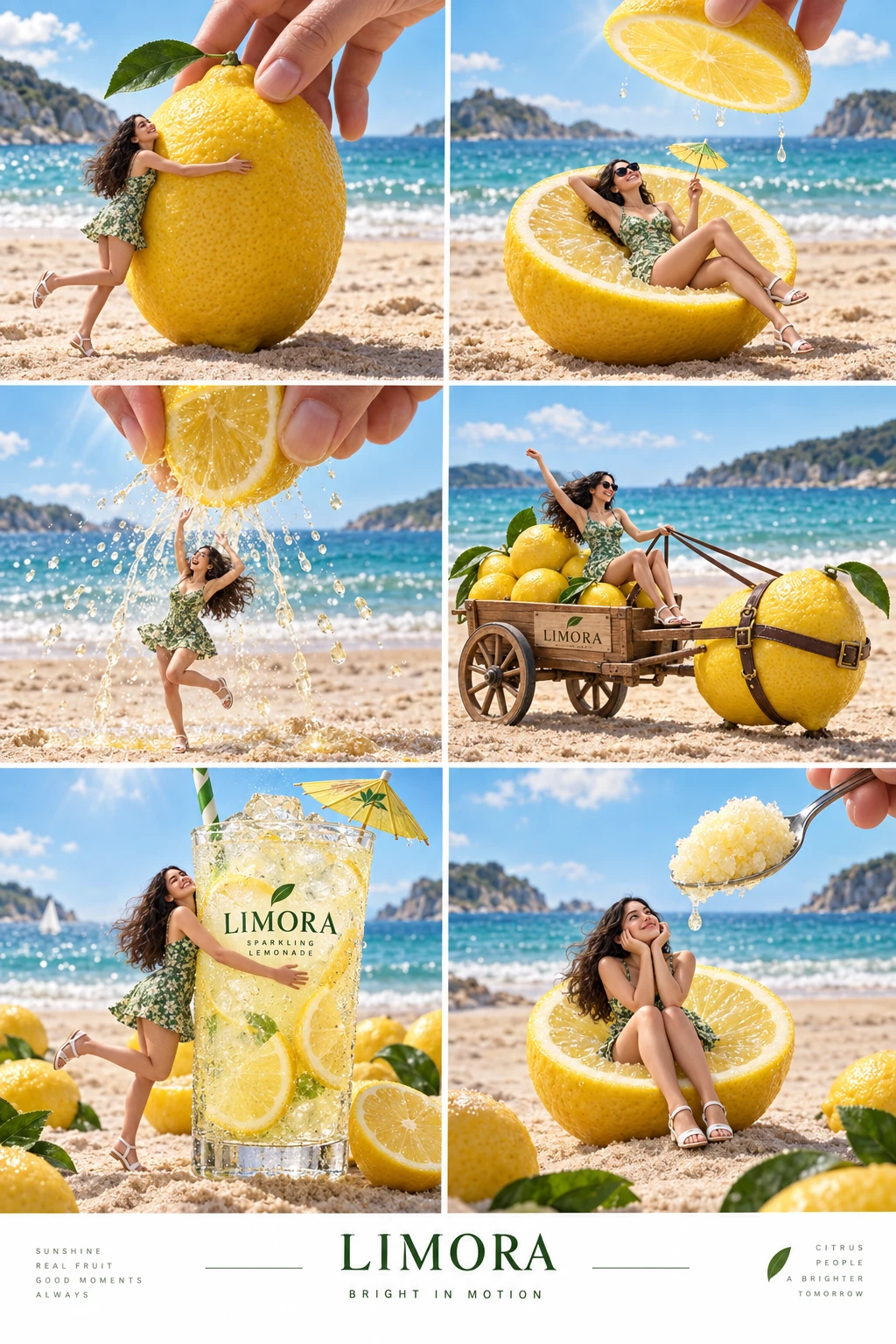
Ask for a full storyboard and GPT Image 2.5 keeps the same person, outfit, light and horizon across every panel, with the brand name spelled cleanly on the product. Ideal for campaign layouts and product stories.
OpenAI released GPT Image 2.5 in September 2026 as two models. Both take the same inputs and cost the same here.
| Flare | Sunburst | GPT Image 2 | |
|---|---|---|---|
| Model | Smaller model, optimized for speed | Base model, optimized for quality | Previous generation |
| Image quality | Comparable to GPT Image 2 | Higher than GPT Image 2 | — |
| LMArena text-to-image* | 1398 | 1425 | — |
| LMArena single-image edit* | 1481 | 1524 | — |
| Transparent PNG | 1K | 1K | — |
| Price per image | 6 / 10 / 16 | 6 / 10 / 16 | 6 / 10 / 16 |
GPT Image 2.5 is OpenAI’s September 2026 image model. It comes in two versions, Flare for speed and Sunburst for quality, and costs the same as GPT Image 2.
Sunburst renders finer texture and cleaner edges than GPT Image 2, and ranks higher on LMArena’s preliminary text-to-image and editing boards.
Upload up to 16 reference images to keep a face, product or style consistent while you change the scene around it.
Headlines, menus and labels come out spelled correctly. Put the exact words in quotation marks in your prompt.
Create stickers, cut-outs and design assets with no backdrop. Transparent output is available at 1K.
Same price, pick quality or speed.
Quote exact text, upload up to 16 images.
Download, or keep editing the result.
Use Sunburst for final images and edits where detail matters. Use Flare when GPT Image 2-level quality is enough and you want results faster. They cost the same.
Sunburst produces higher image quality than GPT Image 2 according to OpenAI, at the same price per image here. Flare is comparable to GPT Image 2 but faster.
Our provider charges the same rate for both, so we pass that on. Choose by speed or quality, not price.
Up to 16 per generation, as JPG, PNG or WebP files of 10 MB or less each.
No. Animated GIF output is available on GPT Image 2.6.
*Preliminary LMArena leaderboard scores from October 2026, based on early votes. Rankings may change.