
Make a Bulin 47 AI video from your photo
Put your portrait into a dembow-inspired video template. Upload one photo; the reference clip, model, and prompt are set for you.
 Image 1
The prompt and both reference assets load into the existing generator. You can replace the portrait before creating your video.
Continue in generatorExample video
See the template in action
Preview an example result. Use the player controls to watch with sound.
How it works
Replace one photo, then generate
The reference video, model, and prompt are already set. Replace the portrait in the highlighted Image 1 tile with your photo, then generate.
Open the template
The video reference and prompt load automatically.
Replace Image 1
Upload one clear portrait in the highlighted image tile.
Generate your video
Review the settings and start generation.
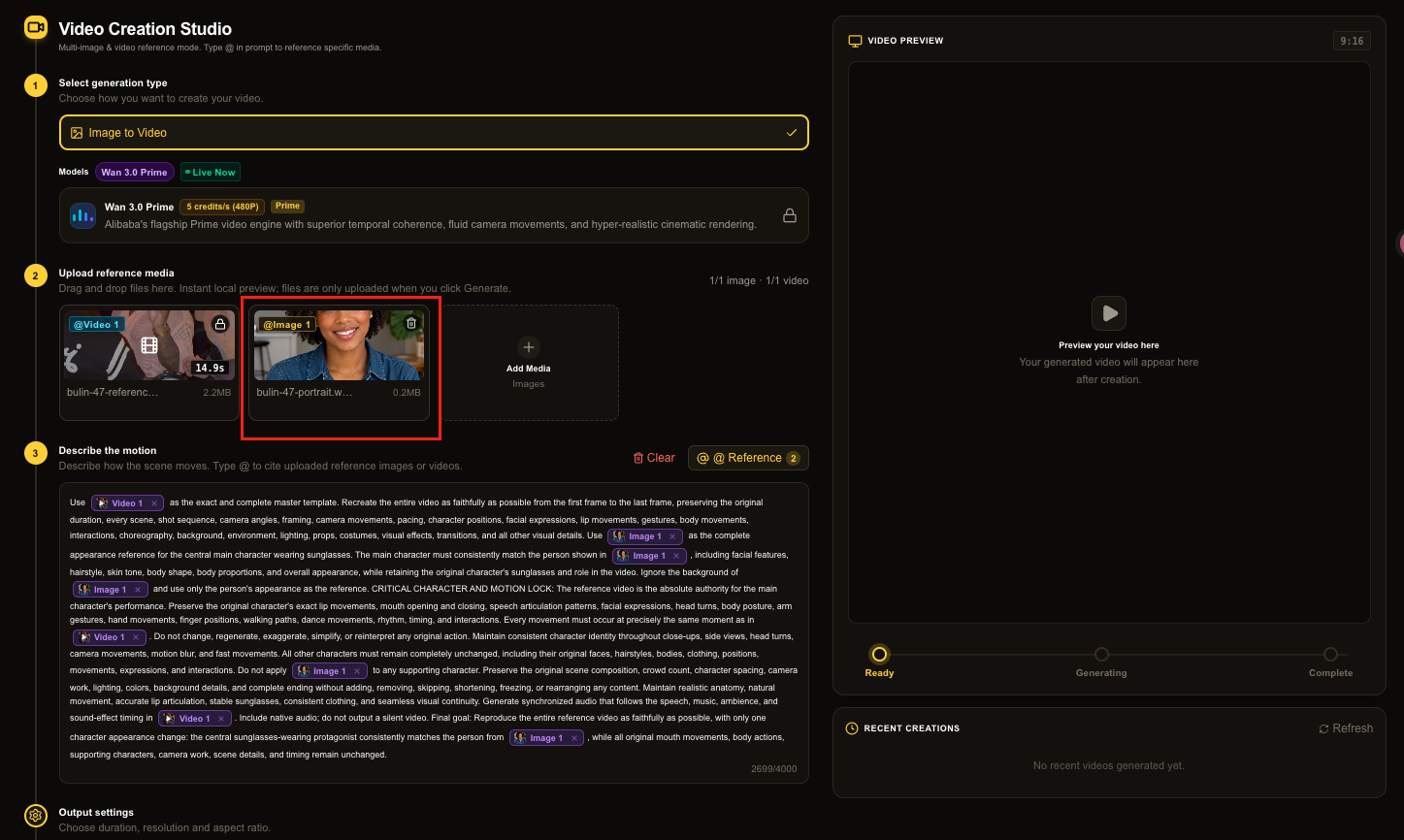
Photo tips
Start with a clear face
A sharp, well-lit portrait helps the model use your appearance as a guide. Keep the face unobstructed and avoid group photos, sunglasses, extreme crops, or strong motion blur.
FAQ
About this AI video template
How do I make a Bulin 47 AI video?+
Upload one clear portrait, review the displayed credit price, and start generation. The page applies its fixed reference video and prompt automatically.
Can I change the video model or reference clip?+
This trend page uses a fixed model and reference template so the setup stays simple. Use the general AI video generator if you want to choose your own model and reference media.
What photo should I upload?+
Use a sharp, front-facing photo with one clearly visible person, good lighting, and no heavy face occlusion. Results can vary with pose, crop, motion, and the video model.
Will the generated video exactly match the original?+
No. The reference guides the scene and motion, but generative video can change facial details, timing, camera movement, and background elements.
Does the generated video include audio?+
Yes. Wan 3.0 Prime generates audio for this template, including dialogue, music, ambience, and sound effects guided by the prompt and reference video.
NanoBananas is an independent AI video tool and is not affiliated with or endorsed by Bulin 47 or his representatives. Generated clips are AI-created and may differ from the reference.